Your team has thousands of pages of technical documentation. Finding the right information shouldn't feel like archeology. Yet engineers spend from 20% to 50% of their time hunting through manuals, specifications, and guidelines - often missing critical details simply because they didn't search for the exact keyword.
The cost isn't just time - it's missed details, duplicated work, and knowledge that disappears when experienced team members move on.
With MANU, you can ask your technical manuals anything and get precise answers with source citations - in seconds, not hours.
Request a demoUser Query
What is the recommended maintenance interval for hydraulic systems?
What can we do for you?
MANU turns complex technical documentation into actionable answers, empowering engineers to find the information they need quickly and accurately.
AI-powered
Question Answering
Ask questions in plain language and get precise answers extracted directly from your documents—not just a list of files that might contain what you need.
Search Across Everything, Instantly
Semantic and full-text search across your entire library simultaneously. Find information even when you don't know the exact terminology or which manual to check.
Answers With Proof
Every answer comes with specific excerpts and source citations, so you can verify the information and dive deeper when needed.
Your documents never leave your network
-
On-premise
Desktop, Team, and Server appliances. Search and chat run on the device—no internet required. One-time purchase, no per-query fees. Built for individual workstations, shared team access, and air-gapped environments.
- Desktop — USB-C, one computer
- Team — shared on your LAN, no seat limit
- Server — enterprise-wide or custom
-
Private cloud
Your Kubernetes cluster, virtual machine, or cloud account. You keep the keys and the documents. We scope integration and onboarding with you.
A hosted cloud trial is available if you want to try MANU before you order hardware.
From Technical Documents to Instant Answers
Step 1: Add Your Technical Documentation
In upload mode, drag and drop your technical manuals, specifications, datasheets, and guides into MANU. Our AI automatically indexes and processes PDFs of any size—from single-page spec sheets to thousand-page manuals. No manual tagging or organization required. MANU does not currently perform OCR, so text in images (for example scanned pages or diagrams) is not parsed or indexed and will not appear in search results.
In integration mode, MANU connects read-only to your document storage systems and automatically indexes existing documents. Any new documents are automatically indexed as they are added. No manual tagging or organization required.
Step 2: Ask Questions or Search Your Technical Manuals
Type your question naturally, just like you'd ask a colleague:
"What's the torque specification for the XJ-500 motor?"
or
"How do I calibrate the pressure sensor?"
MANU understands technical terminology, acronyms, and context—not just exact keyword matches.
Step 3: Get Instant Answers with Source Citations
Receive precise answers extracted from your documents in seconds, complete with the exact excerpts and page references.
Click through to see the full context in the original PDF, or ask follow-up questions to dig deeper.
Storage Integrations for Technical Documentation
Upload your files to MANU or use existing documents by integrating with your storage systems. Connect your technical documentation repositories seamlessly.
Technical Documentation Search Across Industries

Food and Beverage

Supply Chain and Logistics

Data centers

Chemical and Petrochemical

Pharmaceuticals and Biotechnology
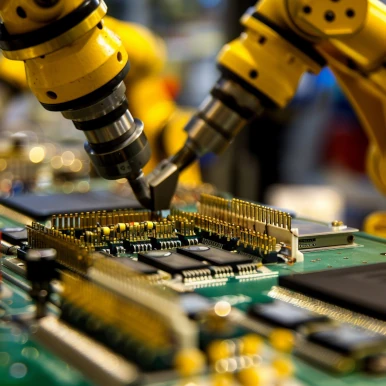
Semiconductor and Electronics Manufacturing
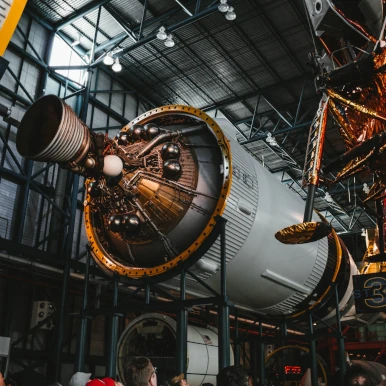
Aerospace and Automotive Manufacturing
Frequently Asked Questions About Technical Documentation Search
What is MANU?
MANU is an AI-powered technical documentation search tool that helps engineers find answers in their technical manuals, specifications, and PDF documents in seconds. It uses semantic search and AI to understand questions in plain language and provides precise answers with source citations.
How does MANU search work?
MANU uses AI-powered semantic search to understand the meaning behind your questions, not just keyword matching. It searches across your entire technical documentation library simultaneously, understands technical terminology and acronyms, and returns precise answers with specific excerpts and page references from your source documents.
What file formats does MANU support?
MANU primarily supports PDF files of any size, from single-page specification sheets to thousand-page technical manuals. The system automatically indexes and processes PDFs without requiring manual tagging or organization. MANU does not currently perform OCR, so text in images (for example scanned pages or diagrams) is not parsed or indexed and will not appear in search results.
Can MANU integrate with existing document storage systems?
Yes, MANU supports integration with various storage systems including Google Drive, OneDrive, SharePoint, Windows Shared Drive, Box, Dropbox, Amazon S3, Azure Blob Storage, Azure Files, Cloudflare R2, FTP, HTTP, SFTP, WebDAV, and SMB/CIFS. In integration mode, MANU connects read-only to your storage systems and automatically indexes documents as they are added.
How accurate are the search results?
MANU provides highly accurate results by using semantic search that understands context and technical terminology. Every answer includes specific excerpts and source citations with page references, allowing you to verify the information and view the full context in the original PDF document.
What deployment options are available?
MANU runs on-premise as Desktop, Team, or Server appliances—no internet required, documents stay on the device. Private cloud deployments run in your Kubernetes cluster, VM, or cloud account. A hosted cloud trial is available to try MANU before you order hardware. See why on-premise for how Desktop, Team, and Server differ.
How much does MANU cost?
MANU Desktop starts at $2,399 and MANU Team is $7,499. Both are one-time purchases with free shipping and no per-query fees. Server pricing is scoped to your deployment. See the MANU pricing page for details.
Contact our
data team
Are you interested in search solutions for your technical documentation?
Our team will be happy to answer your questions and get you started.